

BUILT FOR CARPLAY

Your streams.
Meet CarPlay.

Your playlists. Your media servers. Your CarPlay display.
One beautifully simple player, wherever you make yourself at home.

Download on theApp StoreCarPlay · iPhone · iPad
No CartV Ultra account needed
YOUR SOURCES. YOUR RULES.Meet your new player DESIGNED IN LONDON ↗

Plays nicely with
your favourites.

M3U / M3U8Xtream◈ Jellyfin▸ embyXMLTV
01 / THE EXPERIENCE

Less searching.
More settling in.

Playlists here. A media server there.
CartV Ultra brings them into one place
that just feels right.

ONE PLACE FOR EVERYTHING

A home for
your whole library.

Connect your playlists and media servers. Browse live channels, films and series without bouncing between apps.

Made for your media.↗
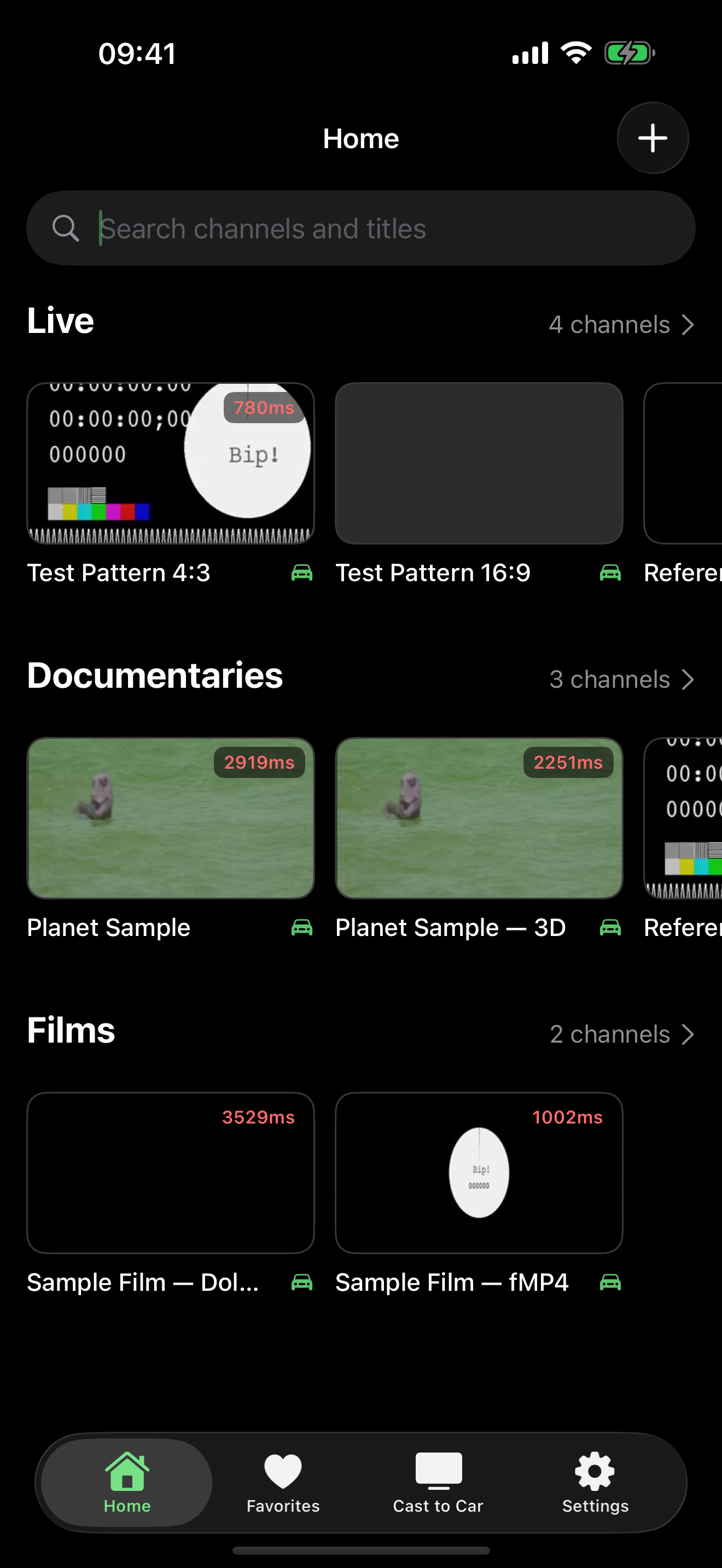
CartV Ultra library showing sample live channels, documentaries and films
Real app screen · sample sources
STRAIGHT TO THE GOOD STUFF

One search.
Every source.

Find a channel or title across your library, then keep the things you love close with favourites.

ROOM TO DO YOUR THING

Press play.
Keep going.

Picture in Picture, background audio and AirPlay to compatible displays. Playback that fits around you.

02 / THE CARPLAY EXPERIENCEYOUR LIBRARY, ON CARPLAY

Your library.
A change of scenery.

A familiar collection. A whole new screen.
CarPlay brings your personal library
into your car, beautifully.

Get CartV Ultra for iOS
One library. Another screen.

Your playlists and media servers, brought together in the CarPlay experience.

03 / MAKE IT YOURS

Your couch is calling.
Let’s get you set up.

01

Get CartV Ultra.

Download the app on your iPhone or iPad. No new account to create.

Open the App Store ↗
02

Bring your source.

Add an M3U playlist, Xtream portal, Jellyfin or Emby server you have permission to use.

URL, pasted playlist or QR code
03

Find your moment.

Search, save your favourites, and settle into something good. Your library is ready.

Your content, all together

A player. Your content. CartV Ultra doesn’t include channels, subscriptions to content, or media. Bring your own legally accessible sources.

04 / A FEW GOOD QUESTIONS

Before you
press play.

Something else on your mind?

We’re here to help ↗
Does CartV Ultra come with channels?

No. CartV Ultra is a media player, not a content service. You add your own M3U playlists, Xtream portals or Jellyfin and Emby servers, and must have the right to access their content.

Which devices can I use?

The current App Store version supports iPhone and iPad running iOS or iPadOS 26.1 or later. AirPlay works with compatible displays. Check the App Store for current device requirements.

What about CarPlay?

CartV Ultra brings your playlists and media servers to your CarPlay display. Connect your iPhone to a compatible vehicle and enjoy your personal library on the car screen. Availability depends on your vehicle and iOS support.

Do I need another account?

There’s no CartV Ultra account to create. You may need credentials for the media provider or server you choose to connect. Your provider library is stored on your device; see our Privacy Policy for analytics, crash reporting and purchase processing.

How much does it cost?

CartV Ultra offers in-app purchases. The purchase screen shows the available options, price, subscription period and any trial terms before you choose to buy. Manage subscriptions in your Apple Account settings.

YOUR NEXT FAVOURITE APP

Make room
for CartV Ultra.

Download on the App Store

Bring your sources. We’ll bring the player.